
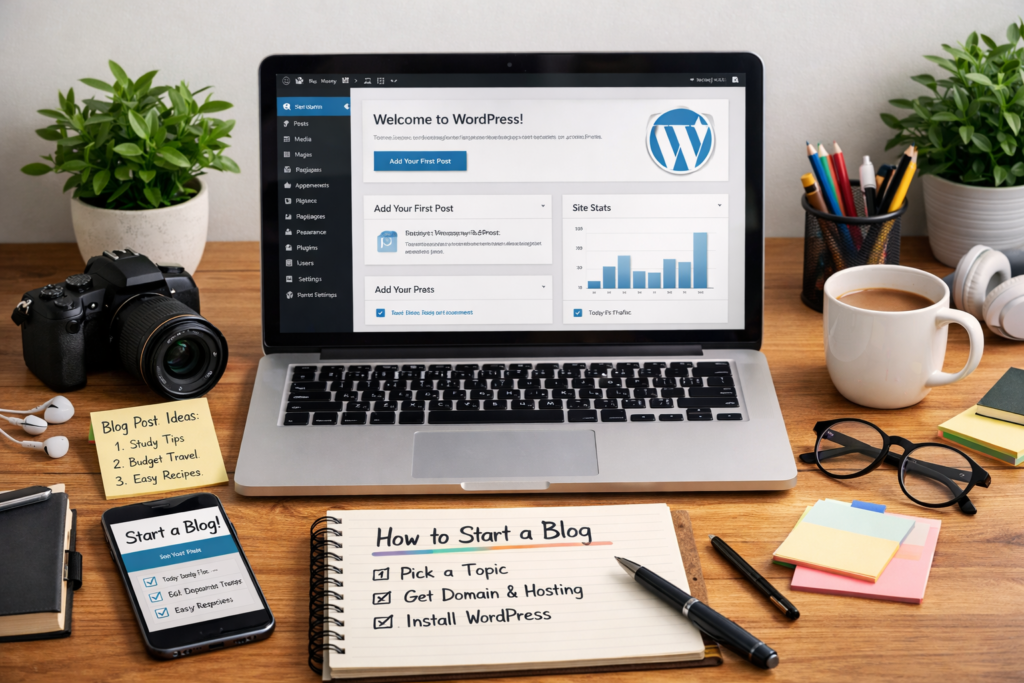
If you want to start a blogging website, you’re basically building a little corner of the internet that you control.
Not social media. Not “renting” space from an algorithm.
Your own site. Your own vibe. Your own rules.
And the good news? You don’t need to be a developer or a “tech person” to do it. You just need a clear plan and an afternoon of focused effort.
Let’s do this step-by-step.
1) Pick a blog topic that you can actually stick with
Most blogs don’t fail because the writer “isn’t good.”
They fail because the topic gets boring after two weeks.
So pick something that hits at least two of these:
- You genuinely enjoy it
- You can write about it for 6–12 months without dying inside
- People are searching for it
- It connects to a skill, hobby, or goal you already have
Examples that work well:
- Study tips for your school stream
- Beginner fitness (healthy, realistic stuff)
- Gaming guides (specific games, not “gaming in general”)
- Budget food recipes
- Skincare for beginners
- Tech how-tos (apps, phones, laptops, AI tools)
If you’re stuck, go narrower.
“Travel” is huge.
“Budget travel in Sri Lanka for students” is specific and easier to grow.
2) Choose the easiest platform (don’t overcomplicate this)
For a “real” blog website, the most common setup is:
✅ WordPress.org (self-hosted)
- You own everything
- You can customize, monetize, and grow
- It’s the standard for blogs
You’ll need a domain + hosting (explained next).
Alternatives (also fine, depending on your goal)
- Blogger: free and simple, but limited and feels outdated
- Medium: great for writing, but you don’t fully own the platform
- Wix/Squarespace: easy drag-and-drop, but can be pricey and less flexible long-term
If you want a blogging “website” that can grow properly, go with WordPress.org.
3) Buy a domain name (your site’s address)
This is your “.com” (or .lk, .net, etc.).
Tips:
- Keep it short and easy to type
- Avoid hyphens and weird spellings
- If you’re building a personal brand, your name works great (like
yourname.com) - If it’s niche-based, keep it clear (like
studywithsana.com)
Don’t stress for a week over the “perfect” domain.
A decent domain + consistent posting beats a perfect domain + no posts.
4) Get hosting (this is where your website lives)
Think of it like renting space on the internet.
A lot of hosting companies have a “WordPress in 1 click” option, which is exactly what you want.
When choosing hosting, look for:
- Good reviews for speed and support
- Free SSL (so your site uses https)
- Easy WordPress install
- A simple dashboard (cPanel or similar)
5) Install WordPress + pick a clean theme
Once you install WordPress, you’ll log in to something like:
yourdomain.com/wp-admin
Now pick a theme.
Here’s the trap: people spend days choosing themes.
Don’t.
Pick something:
- clean
- fast
- mobile-friendly
- readable
Your content matters way more than fancy design.
Basic theme checklist:
- Easy-to-read font
- Good spacing
- Clear headings
- Doesn’t look messy on your phone
6) Set up the “must-have” pages (so your blog looks legit)
Before you publish posts, create these:
- Home (or set your blog page as the homepage)
- About (who you are + why the blog exists)
- Contact (simple form or email)
- Privacy Policy (important for analytics and ads later)
Then set up your menu with those pages.
This takes like 20 minutes and instantly makes your site feel real.
7) Write your first 5–10 post ideas (before you publish anything)
This is the move that saves you from writer’s block.
Open a notes app and write 10 titles right now.
Use simple formats like:
- “How to ___ (without ___)”
- “Beginner’s guide to ___”
- “___ mistakes I made (so you don’t have to)”
- “Best ___ for ___”
- “Step-by-step: ___”
If you want blog traffic from Google, write posts that answer questions people search.
Example:
Instead of “My study routine” → “How to make a study timetable that actually works”
8) Publish your first post (and don’t aim for perfection)
Your first blog post will feel awkward.
That’s normal.
Do this structure and you’re already ahead of most people:
- A quick intro (what the post is about)
- The main steps/tips (with headings)
- A short wrap-up
- One question to encourage comments (optional)
Also: use images (even simple ones). It makes posts easier to read.
9) Basic SEO (so your posts can actually get found)
SEO sounds scary, but the beginner version is simple:
- Use one main keyword/topic per post
- Put it in the title + a heading + naturally in the text
- Write clear headings (H2 / H3)
- Keep paragraphs short
- Add a meta description (WordPress SEO plugins help)
And please don’t “stuff” keywords like a robot.
Write for humans first.
10) Promote smart (without being annoying)
You don’t have to spam links.
Pick 1–2 places your audience already hangs out:
- TikTok/Instagram (short tips)
- Pinterest (great for blogs)
- Reddit (carefully, follow rules)
- Facebook groups (if allowed)
- WhatsApp/Telegram communities (if relevant)
A simple strategy:
- Post one helpful tip
- Then casually link your full blog post for people who want details
11) Stay consistent (this is the part nobody wants to hear)
Most blogs take time.
Like… weeks and months, not days.
If you post 1 quality post per week for 3 months, you’ll be shocked how much you learn:
- writing gets easier
- your style becomes stronger
- you start seeing what people like
- Google begins to notice your site
Consistency wins.
FAQs
1) Can I start a blog for free?
Yes (Blogger or Medium), but you won’t fully own the platform. If you want a serious “website,” you’ll eventually want a domain + hosting.
2) How often should I post?
Start with once a week. If that’s too much, do two posts a month, but make them solid.
3) Do I need to be good at writing?
Not at all. Blogging makes you good at writing. Start messy. Improve as you go.
4) How do bloggers make money?
Common ways: ads, affiliate links, sponsored posts, selling digital products, services (like design/SEO), or memberships.
5) When will I get traffic?
If you’re writing search-friendly posts, you might see a small traffic in a few weeks, but real growth usually takes 2–6 months of consistency.
6) What should my first post be?
A beginner-friendly “start here” post is perfect:
- Who the blog is for?
- What you’ll share
- What problem you’re helping with?
7) Is WordPress hard?
It’s easier than it looks. The first day feels confusing, then it becomes normal.
